Design

Make complex tasks easier to use.

We design workflows, interfaces and digital experiences around the work people need to do. From improving an existing application to shaping a new SaaS product, we turn requirements into designs your team can review and build from.

Our design approach

Designed for people. Grounded in your business.

We follow human-centred design principles, balancing people’s needs, your organisation’s priorities and the capabilities of your technology.

Technologyfeasible · robustPeopleusers · staffBusinessviable · goalsDesigncraft · experimentErgonomicsEfficiencyIdeationBrandUSEREXPERIENCE
  1. People
    Task

    Make everyday work easier.

    Design around the people using the application: their tasks, decisions and working environment. Give them clear information, useful feedback and a straightforward path through the work.

  2. Business
    Roles

    Support the way your organisation operates.

    Account for different roles, approvals and handoffs. Shape an experience that supports your processes and priorities, from customer interactions to internal administration.

  3. Technology
    Platform

    Design with implementation in mind.

    Work with the capabilities and constraints of your platforms, data and integrations. Resolve how the experience should behave so the design gives engineering a practical direction.

Design scope

Better workflows. Clearer interfaces.

  • Workflows and user journeys

    Shape the steps, decisions and handoffs across a task, including the different roles involved.

  • New interfaces

    Design screens and interactions for SaaS products, portals, applications and internal tools.

  • Interface improvements

    Improve existing experiences by addressing confusing navigation, repeated steps, unclear feedback and inconsistent patterns.

Selected design work

Design in practice.

Plugya · SaaS product design

One product. From proposal to fieldwork.

Desktop and mobile experiences for an HVAC SaaS platform. The design brings proposal visibility and team administration together with the customer’s own view of a proposal, from review to acceptance, in one connected product shaped around each role’s work.
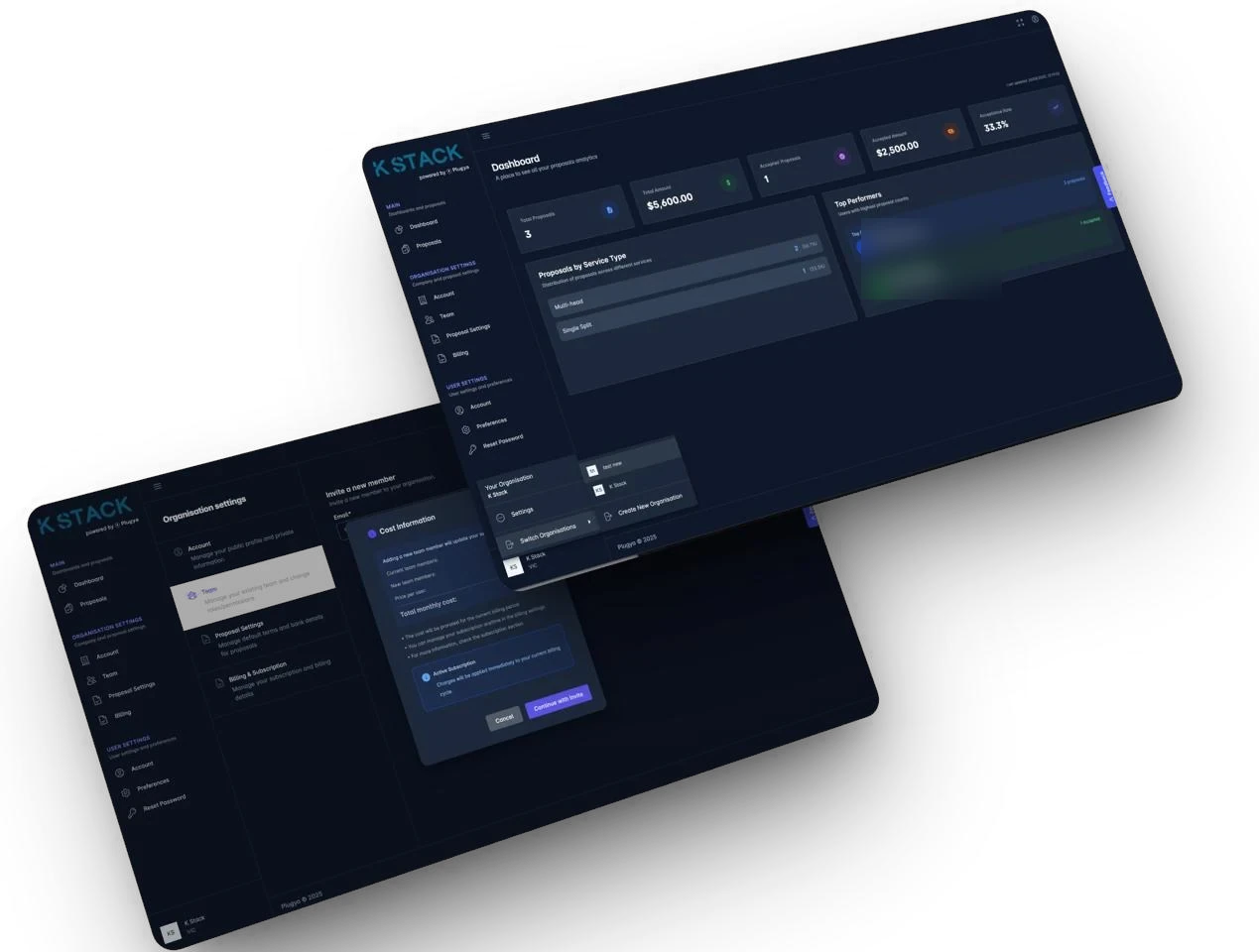
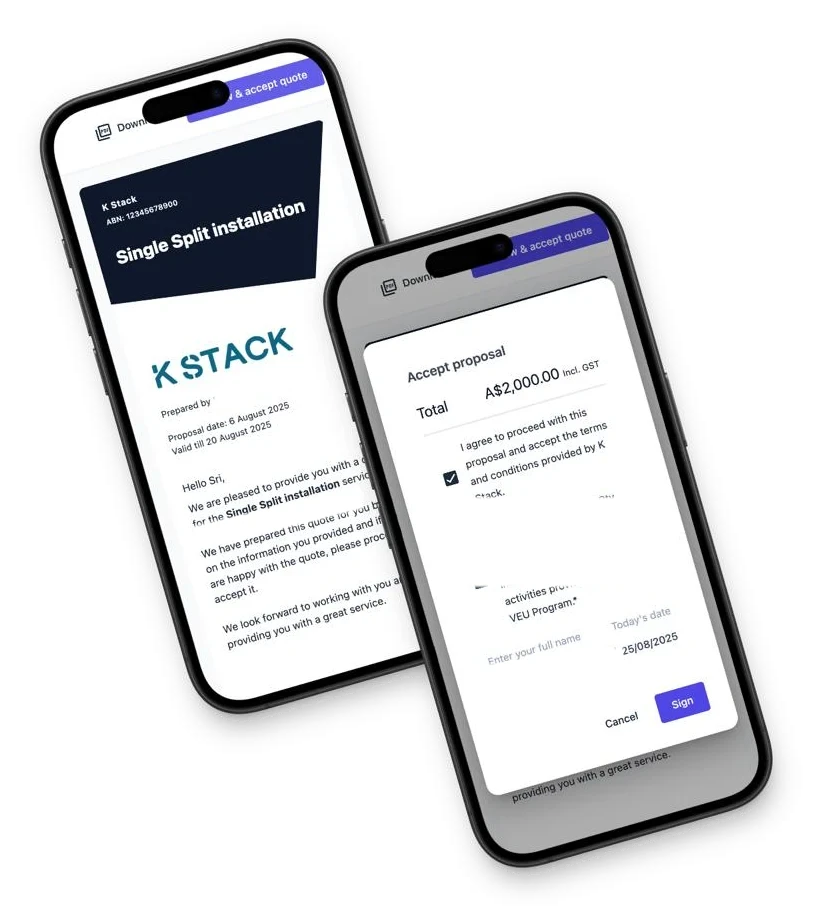
Plugya on desktop: a proposals dashboard with totals, proposals by service type and top performers, over an organisation settings screen for inviting a team member.Plugya on mobile: a customer’s proposal for a single split installation, and the accept proposal dialog with the total, consents and a signature.
Proposals dashboard and organisation settings.A customer’s proposal and its acceptance, on mobile.

Noted · Design concept

A clearer view of students and classes.

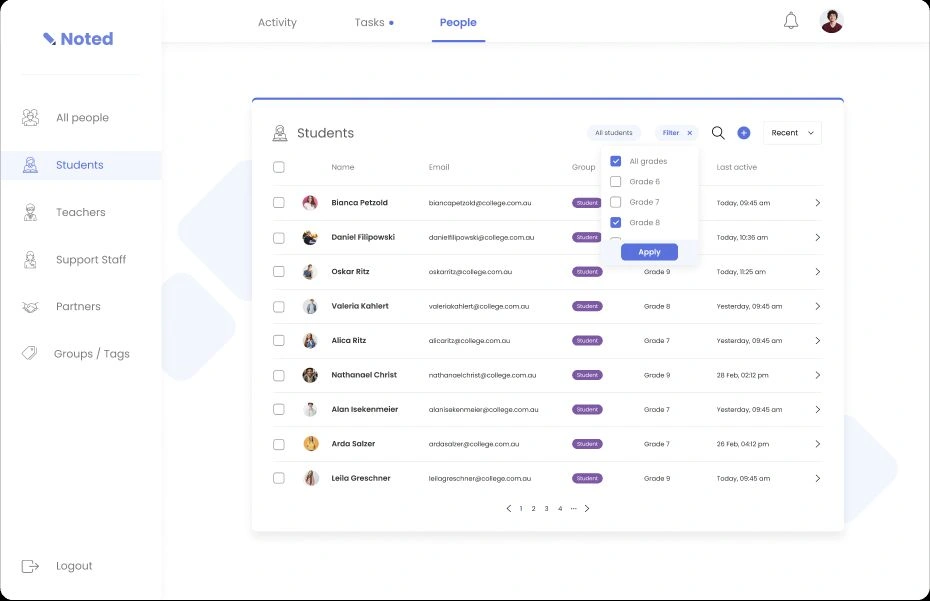
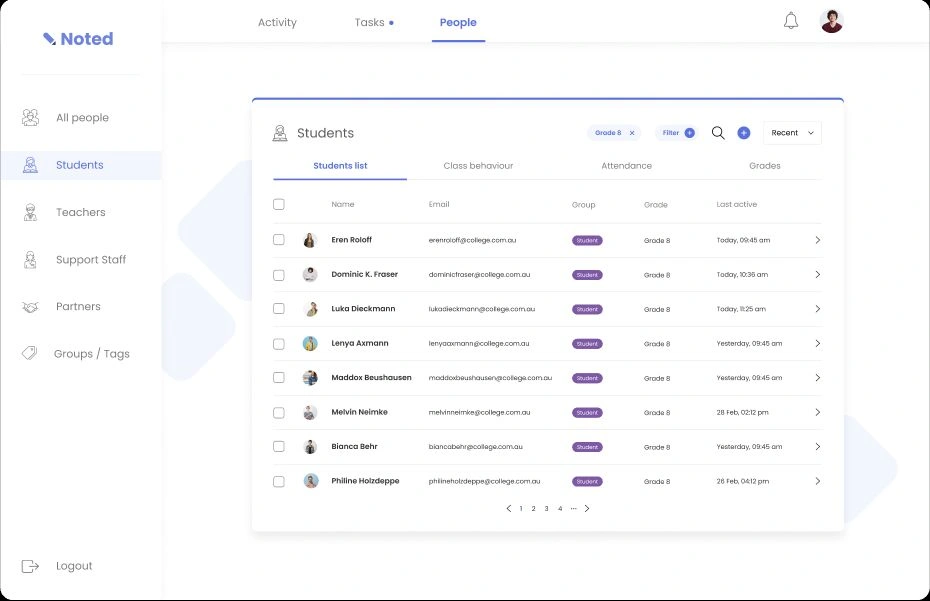
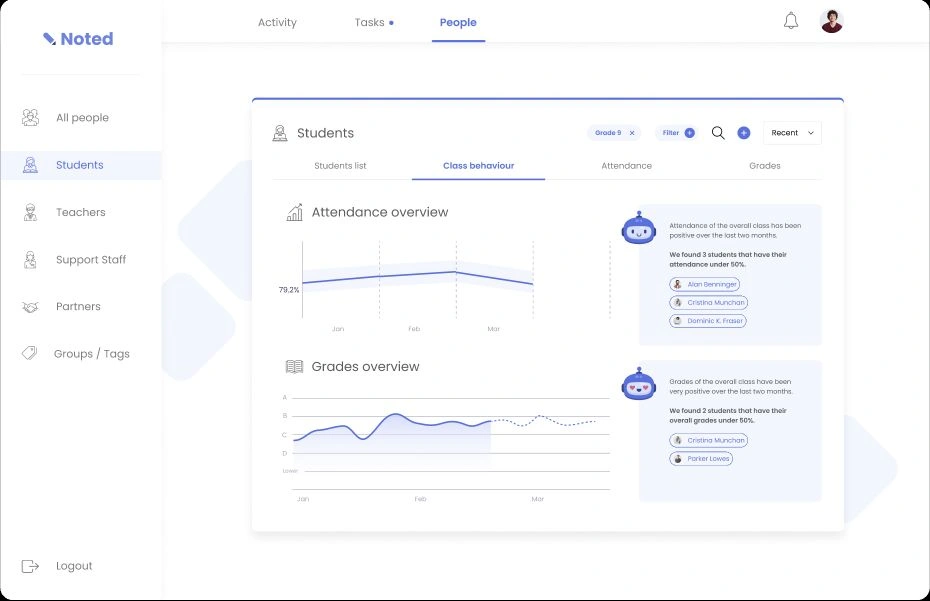
A school platform concept bringing student lists, filters and class information into one workspace. The design helps staff move from a broad overview to the group or student they need to review.

Noted design concept: student filter selection
Choosing a filter.
Noted design concept: grade 8 students
The filtered list.
Noted design concept: class behaviour
Reviewing class behaviour.
Design outputs

An experience your team can review and build from.

We agree the outputs around your application and scope. These may include:

  1. 001User journeys and workflow maps.
  2. 002Wireframes and interface designs.
  3. 003Interactive prototypes.
  4. 004Reusable interface patterns.
  5. 005Design notes and implementation guidance.

The work makes the proposed experience concrete and gives implementation a clear starting point.

From design to delivery

Start where your project is.

  • Establish the direction

    If the problem or requirements need further investigation, Discovery can establish the design priorities.

    Explore Discovery
  • Scope the design work

    If the requirements are understood, we can begin with a focused workflow, interface improvement or broader product design engagement.

  • Carry the design into delivery

    Your development team can implement the designs, or K Stack can continue into Build. We agree the handover and level of support around your delivery needs.

    Explore Build
Questions

Questions about Design.

Can you improve an existing application?

Yes. We can focus on a particular workflow or review a broader experience, working within the platform’s constraints and prioritising the changes that matter most.

Do we need Discovery first?

Not always. If the requirements and context are understood, we can scope Design directly. Where important questions remain, we may recommend a focused Discovery engagement first.

Can you work within our existing brand and platform?

Yes. We can use your existing brand, interface patterns and technology constraints, and identify where changes would improve the experience.

Can the engagement focus on one workflow or feature?

Yes. Design can address a specific task, feature or interface improvement. We agree the boundaries and outputs before starting.

What design outputs will we receive?

Depending on the scope, outputs may include workflow maps, wireframes, interface designs, interactive prototypes and implementation guidance.

How are users and stakeholders involved?

We agree who should participate and how their feedback will inform the work. This may include interviews, design walkthroughs and usability testing.

Can our own development team implement the designs?

Yes. Design can be commissioned independently of development. We agree the handover materials and any implementation support your team needs.

Let’s talk about the work ahead.

Tell us about the product, application or workflow you want to improve. We’ll discuss the people using it and the right scope of design work.